
Download
How to get GILLA VR on Meta Quest
GILLA is downloaded from one place: the Meta Quest store, where the button says Get because the game is free. It installs on Quest 2, 3, 3S and Pro, takes 612.54 MB and needs an internet connection every time you play.
Last checked:
| Question | Answer | Status |
|---|---|---|
| Where to download | Meta Quest store — GILLA | Developer-stated · 3 pages (same publisher) |
| Price | Free (“Get”), optional in-game purchases | Developer-stated · 3 pages (same publisher) |
| Headsets | Quest 2, Quest 3, Quest 3S, Quest Pro | Developer-stated · 3 pages (same publisher) |
| Download size | 612.54 MB | Meta listing |
| Version | 0.1.0 (Early Access) | Meta listing · 1 source |
| Internet | Required | Developer-stated · 3 pages (same publisher) |
Store facts read from the Meta Quest listing and AppLabGames on 20 Nov 2026.
/ Install GILLA from the headset
Menu names move around between Meta Horizon OS updates, so treat the labels above as a guide and follow whatever your store shows today. The important part is the publisher name: there are other ape games and other things called Gilla, and only the Play Gilla listing is this game.
- Put on your Quest 2, 3, 3S or Pro and make sure it is connected to Wi-Fi.
- Open the Store from the menu bar.
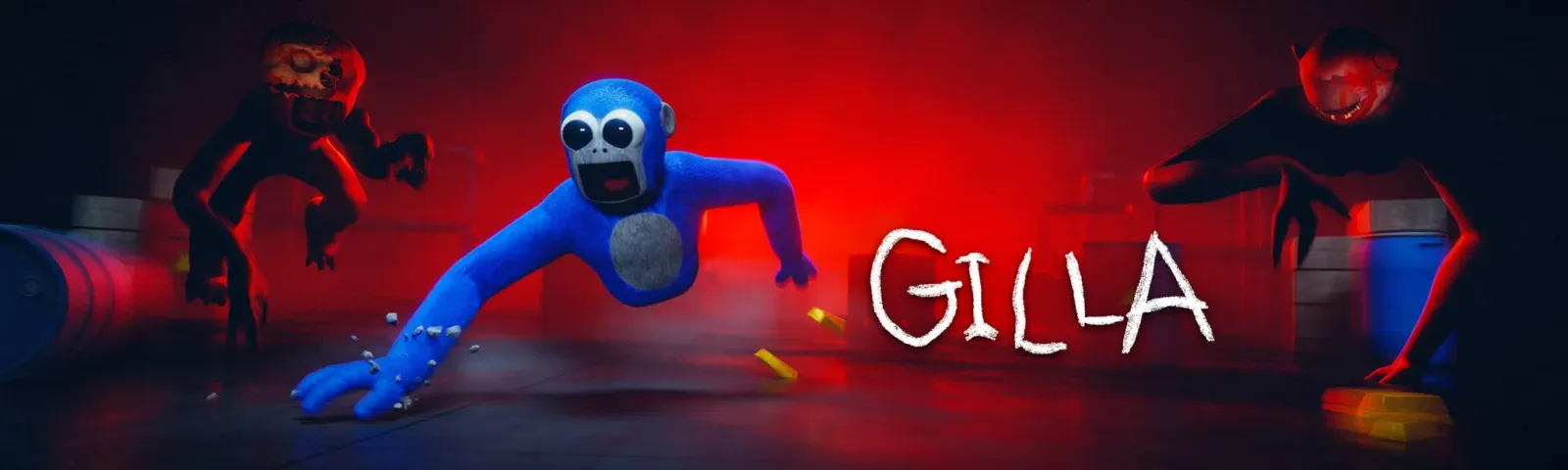
- Search for GILLA. The right listing is by Play Gilla and shows the blue ape key art.
- Press Get. There is no price to confirm because the game itself is free.
- Wait for the 612.54 MB download to finish, then open GILLA from your library.
/ Install GILLA from your phone
You can also queue the download from the Meta Horizon app on your phone. Search the store tab for GILLA, open the Play Gilla listing and press Get. The game installs on the headset linked to that account the next time it is switched on and online. This is handy if you want the download finished before a friend comes over to play.
/ Why GILLA does not show up or will not install
- Wrong search result. “Gilla” is also a band, a football club and a Swedish word, and the Gila monster is spelled almost the same. Search inside the Quest store, not a web search, and look for Play Gilla. Our GILLA meaning page sorts the name clash out.
- Quest 1. The supported list is Quest 2, 3, 3S and Pro. The original Quest is not on it.
- Age or region. The UK store shows a 16+ rating and GILLA’s own terms set the minimum age by country (17 in the US, 18 in Australia and Germany). Accounts below that age may not see it. Details on the age rating page.
- No connection. The game checks for updates when it starts and needs to stay online. If it installs but then says you are offline, use the offline fix checklist.
/ Is there a PC, Steam, web or APK version?
No. The Meta listing, gillavr.com and AppLabGames all point to the Meta Quest store and nothing else, and a Steam search for “gilla” returned no results on 20 Nov 2026. There is no browser or WebXR version to play here, and no official APK. Sites offering a GILLA APK or a “PC download” are not from the developer; GILLA’s fan-content rules also forbid clones and redistributed game files. The platforms page covers Steam, PCVR, PSVR2 and crossplay one by one.
/ What to do after installing
Start a match in ROAM, the main mode, and spend the first few minutes just learning to move with your arms before you pick anything up. Our how to play guide walks through the first match, and the monster page tells you which one hears your voice.
/ Frequently asked questions
Where can I download GILLA VR?
How big is the GILLA download?
Can I get GILLA on PC or Steam?
Do I need a Meta account to play GILLA?
Sources
- Meta Quest store — GILLA (en-GB listing) — last checked 2026-11-20
- gillavr.com — official GILLA site — last checked 2026-11-20
- AppLabGames — GILLA listing — last checked 2026-11-20
- Steam store search for “gilla” — last checked 2026-11-20
- gillavr.com — Terms of Service (updated 17 Nov 2026) — last checked 2026-11-20
- gillavr.com — Fan Content rules — last checked 2026-11-20